Yep, we may get a tiny thank-you (read: commission) when you buy through
links on Gadgetspotr — not enough for a yacht, but enough to keep the lights (and
servers) on.
Learn more
36
Highlights
64
Differences
6
Reactions
0
Likes
FLUX Hexa
vs
Xtool P2:
36 Highlights & 64 Differences —
So, Which Laser Engraver & Cutter Actually Works Better
Choosing based on software? This compares app support, formats, and connectivity highlights.
What sets FLUX Hexa apart from Xtool P2? This laser engravers & cutters face-off compares specs like ceramic engraving, food engraving, emergency stop button & input voltage and beyond.
FLUX Hexa vs Xtool P2: A Detailed Laser Cutter and Engraver Comparison
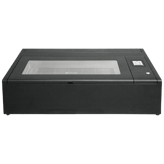
When delving into the market for desktop laser cutters and engravers, the FLUX Hexa and Xtool P2 represent two commanding contenders. Both machines offer high beam quality laser modules with autofocus and adjustable focus functions, ensuring precise engraving and cutting, backed by a robust 10,000-hour laser lifespan. Their core functionalities include pass-through operation and support for 1000 DPI resolution, delivering exceptional accuracy and repeatability down to 0.001 mm. However, the defining contrasts in size, user interface, software flexibility, and maintenance requirements set each apart, catering to different user needs and budget considerations.
FLUX Hexa: Precision and User Interface Excellence
The FLUX Hexa boasts a wider machine width of 43.7 inches, which, while larger and potentially demanding more workspace, provides a comfortable work footprint. Its 7-inch touchscreen with a high 1024 resolution ensures a premium user interface for intuitive operation. Notably, it excels in finer line thickness, delivering engraving details as fine as 0.004 mm compared to the Xtool's 0.006 mm. The FLUX Hexa's laser system also features medium lubrication and requires filter replacement every 3-6 months, balancing maintenance with performance. It supports popular file formats like SVG, PNG, JPG, DXF, and PDF, offering compatibility with both third-party and proprietary software, though it lacks mobile app support or cloud storage.
While the FLUX Hexa does not include a removable base, its honeycomb bed and magnetic clamps provide stable material holding, with a respectable maximum material height handling of 3.14 inches without a raiser and up to 8 inches with a raiser. For those prioritizing software longevity, FLUX delivers a strong 5-year software support period, paired with responsive customer assistance via email and ticket systems.
Xtool P2: Compact Versatility and Advanced Software Features
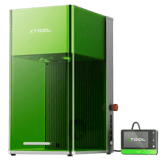
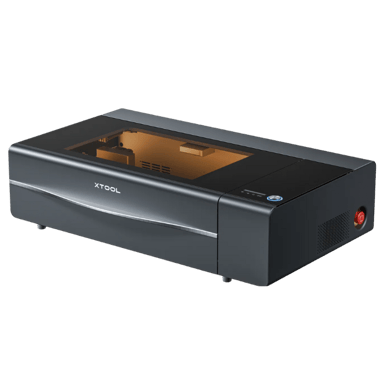
The Xtool P2 shines in compactness and adaptability, measuring 39.37 inches wide, making it a great fit for tighter workspaces. Its 4.3-inch display may be smaller and less sharp with an 800 resolution, but it compensates hugely through software versatility. The Xtool supports a mobile app, enabling remote operation and intuitive control, a feature FLUX Hexa lacks. Beyond that, its compatibility stretches over an impressive array of file formats, including SVG, PNG, JPG, BMP, DXF, PDF, and JPEG, widened further by cloud storage integration for convenient file management and workflow continuity.
Material handling is another strong suit of the Xtool P2. Thanks to its removable base, switching materials is simplified, while its maximum material height capacity extends to 2.5 inches without ra iser and a notable 9.8 inches with ra iser; surpassing the FLUX Hexa's vertical clearance. It also offers an optional honeycomb bed, enhancing cutting precision for diverse projects.
Maintenance is streamlined with its low lubrication requirement and filter replacement every 6 months, along with broad spare parts availability, promising cost-effective upkeep. Environmentally, the Xtool P2 tends to be quieter, with an unspecified but indicated low noise level compared to FLUX's 65 dB. Supportive channels such as live chat and ticket systems enrich customer experience despite a shorter 1-year software support window.
Quick Take
The FLUX Hexa wins for those who want a larger, immersive touchscreen interface paired with finer engraving precision and longer software support. Meanwhile, the Xtool P2 offers flexible, mobile-friendly operation, easier material management with its removable base, and lower maintenance demands, making it a compelling choice for buyers on a tighter budget or limited workspace.
Bottom Line
Deciding between the two boils down to your workspace size, need for software flexibility, and budget priorities. If you seek precise detail engravings with a premium interface experience and don't mind investing a bit more, the FLUX Hexa is a solid pick. Conversely, if you prefer a user-friendly mobile app, easy material setup, and an affordable price tag, the Xtool P2 provides outstanding all-around versatility and modern connectivity features.
Verdict
Winner: Xtool P2 - For delivering exceptional value through compact design, mobile app support, and easier maintenance at nearly half the price.
Runner-up: FLUX Hexa - For users who prioritize finer laser precision and an advanced touchscreen UI experience worth the premium investment.
Side by side. The numbers. The features. No drama.
From feature sets to real-life wins and flaws, this laser engravers & cutters comparison between FLUX Hexa and Xtool P2 helps you cut through the noise.
The Machine Width for FLUX Hexa is 43.7 inches, while for Xtool P2 it is 39.37 inches, making the FLUX Hexa wider and potentially offering a larger footprint.
Width of the machine footprint.
In the battle of Machine Width,
FLUX Hexa ◉ is
worse than
Xtool P2 ◉
, delivering
higher
4.3 inch
measurement.
Don’t keep it to yourself — be the first to react and review the
Machine Width on FLUX Hexa ◉
vs Xtool P2 ◉ and help others decide!
Product Type
What is the product type?
0
FLUX Hexa
0Votes
Laser Engraver Cutter
0
Xtool P2
0Votes
Laser Engraver Cutter
Xtool P2
This device functions as a Laser Engraver Cutter, indicating its capability to both engrave intricate designs and cut through materials, offering versatile creative and industrial applications.
Defines the category of the machine.
In the battle of Product Type,
FLUX Hexa ◉ is
same as
Xtool P2 ◉
.
Don’t keep it to yourself — be the first to react and review the
Product Type on FLUX Hexa ◉
vs Xtool P2 ◉ and help others decide!
FLUX Hexa uses Software, Touchscreen Panel, and Offline control methods while Xtool P2 uses Software, Mobile App, and Offline control methods, differing mainly by FLUX Hexa having a touchscreen and Xtool P2 supporting a mobile app.
Defines how the user operates the machine.
In the battle of Control Method,
FLUX Hexa ◉ is
same as
Xtool P2 ◉
.
Don’t keep it to yourself — be the first to react and review the
Control Method on FLUX Hexa ◉
vs Xtool P2 ◉ and help others decide!
Machine Weight
What is the machine weight?
127.87
lbs
0Votes
99.2
lbs
0Votes
FLUX Hexa
Weighing 127.87 lbs, it is designed for stability during operation.
Total weight of the machine.
In the battle of Machine Weight,
FLUX Hexa ◉ is
worse than
Xtool P2 ◉
, delivering
higher
28.7 lbs
measurement.
Don’t keep it to yourself — be the first to react and review the
Machine Weight on FLUX Hexa ◉
vs Xtool P2 ◉ and help others decide!
Intended Use Cases
What are the intended use cases?
0
FLUX Hexa
0Votes
Professional, Education, Hobby
0
Xtool P2
0Votes
Hobby, Professional, Education
Describes user applications.
In the battle of Intended Use Cases,
FLUX Hexa ◉ is
same as
Xtool P2 ◉
.
Don’t keep it to yourself — be the first to react and review the
Intended Use Cases on FLUX Hexa ◉
vs Xtool P2 ◉ and help others decide!
Supported Operating Systems
Which operating systems are supported?
0
FLUX Hexa
0Votes
Windows, macOS, Linux
0
Xtool P2
0Votes
Windows, macOS, Linux
vs
Supported Operating Systems
Both FLUX Hexa and Xtool P2 support the operating systems Windows, macOS, and Linux, offering users broad software compatibility across platforms.
Indicates OS compatibility for controlling software.
In the battle of Supported Operating Systems,
FLUX Hexa ◉ is
same as
Xtool P2 ◉
.
Don’t keep it to yourself — be the first to react and review the
Supported Operating Systems on FLUX Hexa ◉
vs Xtool P2 ◉ and help others decide!
Frame Type
What is the frame type?
0
FLUX Hexa
0Votes
Open Frame
0
Xtool P2
0Votes
Enclosed
Describes structural design of the machine.
In the battle of Frame Type,
FLUX Hexa ◉ is
same as
Xtool P2 ◉
.
Don’t keep it to yourself — be the first to react and review the
Frame Type on FLUX Hexa ◉
vs Xtool P2 ◉ and help others decide!
The Laser Lifespan for both FLUX Hexa and Xtool P2 is 10000 hours, meaning equal durability in laser usage time.
Expected operational hours before degradation.
In the battle of Laser Lifespan,
FLUX Hexa ◉ is
same as
Xtool P2 ◉
, delivering
equal
10,000.00 hours
measurement.
Don’t keep it to yourself — be the first to react and review the
Laser Lifespan on FLUX Hexa ◉
vs Xtool P2 ◉ and help others decide!
Laser Power Optical
What is the optical laser power?
60
Watt
0Votes
100
Watt
0Votes
FLUX Hexa
The laser power optical is rated at 60 W, providing strong cutting and engraving capabilities.
Xtool P2
The optical laser power is 100 Watt, delivering significant energy for efficient cutting and engraving of various materials.
The actual cutting/engraving power delivered to materials.
In the battle of Laser Power Optical,
FLUX Hexa ◉ is
worse than
Xtool P2 ◉
, delivering
lower
40.0 Watt
measurement.
Don’t keep it to yourself — be the first to react and review the
Laser Power Optical on FLUX Hexa ◉
vs Xtool P2 ◉ and help others decide!
Laser Classification
What is the laser classification?
0
FLUX Hexa
0Votes
Class 1
0
Xtool P2
0Votes
Class 1
Xtool P2
The laser is classified as Class 1, meaning it is safe under all conditions of normal use because the laser radiation is contained or too low to be hazardous, adhering to strict safety standards.
Indicates safety classification based on laser standards.
In the battle of Laser Classification,
FLUX Hexa ◉ is
same as
Xtool P2 ◉
.
Don’t keep it to yourself — be the first to react and review the
Laser Classification on FLUX Hexa ◉
vs Xtool P2 ◉ and help others decide!
Laser Spot Size
What is the laser spot size?
0
FLUX Hexa
0Votes
0.1 mm
0
Xtool P2
0Votes
0.006 x 0.008
Xtool P2
The laser spot size measures 0.006 x 0.008 inch (0.015 x 0.020 cm), indicating a very fine and precise laser beam for detailed engraving and cutting. This small spot size contributes to high-resolution results.
Defines the diameter of the focused laser spot.
In the battle of Laser Spot Size,
FLUX Hexa ◉ is
same as
Xtool P2 ◉
.
Don’t keep it to yourself — be the first to react and review the
Laser Spot Size on FLUX Hexa ◉
vs Xtool P2 ◉ and help others decide!
Laser Focal Length
What is the focal length?
2
inch
0Votes
1.97
inch
0Votes
Xtool P2
The laser focal length is 1.97 inch (5.00 cm), which is a critical parameter for achieving optimal engraving and cutting results. This defines the ideal distance between the laser head and the material surface for the sharpest beam.
Distance from lens to optimal focus point.
In the battle of Laser Focal Length,
FLUX Hexa ◉ is
better than
Xtool P2 ◉
, delivering
equal
2.00 inch
measurement.
Don’t keep it to yourself — be the first to react and review the
Laser Focal Length on FLUX Hexa ◉
vs Xtool P2 ◉ and help others decide!
Autofocus
Does it support autofocus?
Yes
0Votes
FLUX Hexa
Yes
0Votes
Xtool P2
vs
Autofocus
FLUX Hexa and Xtool P2 both feature autofocus lasers, facilitating easier focusing during operation.
Automatically adjusts focus for optimal performance.
In the battle of Autofocus,
FLUX Hexa ◉ is
same as
Xtool P2 ◉
.
Don’t keep it to yourself — be the first to react and review the
Autofocus on FLUX Hexa ◉
vs Xtool P2 ◉ and help others decide!
Laser Cooling Method
What is the cooling method?
0
FLUX Hexa
0Votes
Water Cooling
0
Xtool P2
0Votes
Water Cooling
Xtool P2
The laser unit utilizes a Water Cooling method, which is highly effective for maintaining optimal operating temperatures and extending the lifespan of the laser tube, especially for high-power CO2 lasers.
Defines how the laser dissipates heat.
In the battle of Laser Cooling Method,
FLUX Hexa ◉ is
same as
Xtool P2 ◉
.
Don’t keep it to yourself — be the first to react and review the
Laser Cooling Method on FLUX Hexa ◉
vs Xtool P2 ◉ and help others decide!
Laser Type
What is the laser type?
0
FLUX Hexa
0Votes
CO2
0
Xtool P2
0Votes
CO2
Indicates the type of laser module used.
In the battle of Laser Type,
FLUX Hexa ◉ is
same as
Xtool P2 ◉
.
Don’t keep it to yourself — be the first to react and review the
Laser Type on FLUX Hexa ◉
vs Xtool P2 ◉ and help others decide!
Laser Wavelength
What is the laser wavelength?
10,640
nm
0Votes
10,600
nm
0Votes
Defines the wavelength of the emitted laser light.
In the battle of Laser Wavelength,
FLUX Hexa ◉ is
better than
Xtool P2 ◉
, delivering
higher
40.0 nm
measurement.
Don’t keep it to yourself — be the first to react and review the
Laser Wavelength on FLUX Hexa ◉
vs Xtool P2 ◉ and help others decide!
Laser Power Electrical Input
What is the electrical input power?
1,000
Watt
0Votes
1,000
Watt
0Votes
Electrical input power needed to drive the laser.
In the battle of Laser Power Electrical Input,
FLUX Hexa ◉ is
same as
Xtool P2 ◉
, delivering
equal
1,000.00 Watt
measurement.
Don’t keep it to yourself — be the first to react and review the
Laser Power Electrical Input on FLUX Hexa ◉
vs Xtool P2 ◉ and help others decide!
Beam Quality
What is the beam quality?
0
FLUX Hexa
0Votes
High
0
Xtool P2
0Votes
High
vs
Beam Quality
Both FLUX Hexa and Xtool P2 have High Beam Quality laser modules, indicating comparable laser precision and capability.
Describes the uniformity and stability of the beam.
In the battle of Beam Quality,
FLUX Hexa ◉ is
same as
Xtool P2 ◉
.
Don’t keep it to yourself — be the first to react and review the
Beam Quality on FLUX Hexa ◉
vs Xtool P2 ◉ and help others decide!
Modulation Frequency
What is the modulation frequency?
Who knows?
0Votes
FLUX Hexa
(Help us out by suggesting one!)
0
Hz
0Votes
vs
Modulation Frequency
FLUX Hexa's Modulation Frequency is not available, while Xtool P2 has a modulation frequency of 0 Hz, showing a lack of modulation frequency in both.
Defines how fast the laser can pulse for engraving detail.
Don’t keep it to yourself — be the first to react and review the
Modulation Frequency on FLUX Hexa ◉
vs Xtool P2 ◉ and help others decide!
Laser Replaceability
Is the laser replaceable?
Yes
0Votes
FLUX Hexa
Yes
0Votes
Xtool P2
Indicates whether the laser module can be replaced.
In the battle of Laser Replaceability,
FLUX Hexa ◉ is
same as
Xtool P2 ◉
.
Don’t keep it to yourself — be the first to react and review the
Laser Replaceability on FLUX Hexa ◉
vs Xtool P2 ◉ and help others decide!
Laser Upgrade Compatibility
Is the laser upgrade-compatible?
No
0Votes
FLUX Hexa
No
0Votes
Xtool P2
Allows upgrading to higher-power modules.
In the battle of Laser Upgrade Compatibility,
FLUX Hexa ◉ is
same as
Xtool P2 ◉
.
Don’t keep it to yourself — be the first to react and review the
Laser Upgrade Compatibility on FLUX Hexa ◉
vs Xtool P2 ◉ and help others decide!
In the battle of Maximum Cutting Depth Leather,
FLUX Hexa ◉ is
worse than
Xtool P2 ◉
, delivering
lower
0.2 inch
measurement.
Don’t keep it to yourself — be the first to react and review the
Maximum Cutting Depth Leather on FLUX Hexa ◉
vs Xtool P2 ◉ and help others decide!
Maximum Cutting Depth Metal Assisted
What is the maximum assisted metal cutting depth?
Who knows?
0Votes
FLUX Hexa
(Help us out by suggesting one!)
0.04
inch
0Votes
Xtool P2
With assistance, the maximum cutting depth for metal is 0.04 inch (0.10 cm), indicating its capability for light metal processing when properly assisted.
Depth of metal cutting with external assistance (air/oxygen).
Don’t keep it to yourself — be the first to react and review the
Maximum Cutting Depth Metal Assisted on FLUX Hexa ◉
vs Xtool P2 ◉ and help others decide!
Positioning Accuracy
What is the positioning accuracy?
0
inch
0Votes
0
inch
0Votes
vs
Positioning Accuracy
Positioning Accuracy is 0.001 inch for both FLUX Hexa and Xtool P2, indicating similar precision in laser movement.
Defines how close the system can position the laser head to exact coordinates.
In the battle of Positioning Accuracy,
FLUX Hexa ◉ is
same as
Xtool P2 ◉
, delivering
equal
0.00 inch
measurement.
Don’t keep it to yourself — be the first to react and review the
Positioning Accuracy on FLUX Hexa ◉
vs Xtool P2 ◉ and help others decide!
Supported Resolution DPI
What is the supported DPI?
1,000
DPI
0Votes
1,000
DPI
0Votes
vs
Supported Resolution DPI
Supported Resolution DPI is identical for both FLUX Hexa and Xtool P2 at 1000 DPI, suggesting similar engraving detail quality.
Maximum engraving resolution measured in DPI.
In the battle of Supported Resolution DPI,
FLUX Hexa ◉ is
same as
Xtool P2 ◉
, delivering
equal
1,000.00 DPI
measurement.
Don’t keep it to yourself — be the first to react and review the
Supported Resolution DPI on FLUX Hexa ◉
vs Xtool P2 ◉ and help others decide!
Real Time Preview Capability
Does it have real-time preview?
Yes
0Votes
FLUX Hexa
Yes
0Votes
Xtool P2
FLUX Hexa
The Real Time Preview Capability allows operators to see engraving progress live.
Provides live preview of engraving position.
In the battle of Real Time Preview Capability,
FLUX Hexa ◉ is
same as
Xtool P2 ◉
.
Don’t keep it to yourself — be the first to react and review the
Real Time Preview Capability on FLUX Hexa ◉
vs Xtool P2 ◉ and help others decide!
Maximum Engraving Speed
What is the maximum engraving speed?
35.43
inch
0Votes
23.62
inch
0Votes
The fastest speed at which the machine can engrave.
In the battle of Maximum Engraving Speed,
FLUX Hexa ◉ is
better than
Xtool P2 ◉
, delivering
higher
11.8 inch
measurement.
Don’t keep it to yourself — be the first to react and review the
Maximum Engraving Speed on FLUX Hexa ◉
vs Xtool P2 ◉ and help others decide!
Maximum Cutting Speed
What is the maximum cutting speed?
0.39
inch
0Votes
23.62
inch
0Votes
The fastest speed at which the machine can cut materials.
In the battle of Maximum Cutting Speed,
FLUX Hexa ◉ is
worse than
Xtool P2 ◉
, delivering
lower
23.2 inch
measurement.
Don’t keep it to yourself — be the first to react and review the
Maximum Cutting Speed on FLUX Hexa ◉
vs Xtool P2 ◉ and help others decide!
Maximum Cutting Depth Wood
What is the maximum cutting depth for wood?
0.5
inch
0Votes
0.71
inch
0Votes
Deepest wood thickness the laser can cut in one pass.
In the battle of Maximum Cutting Depth Wood,
FLUX Hexa ◉ is
worse than
Xtool P2 ◉
, delivering
lower
0.2 inch
measurement.
Don’t keep it to yourself — be the first to react and review the
Maximum Cutting Depth Wood on FLUX Hexa ◉
vs Xtool P2 ◉ and help others decide!
Maximum Cutting Depth Acrylic
What is the maximum acrylic cutting depth?
0.4
inch
0Votes
0.79
inch
0Votes
Deepest acrylic thickness the machine can cut.
In the battle of Maximum Cutting Depth Acrylic,
FLUX Hexa ◉ is
worse than
Xtool P2 ◉
, delivering
lower
0.4 inch
measurement.
Don’t keep it to yourself — be the first to react and review the
Maximum Cutting Depth Acrylic on FLUX Hexa ◉
vs Xtool P2 ◉ and help others decide!
Engraving Precision
What is the engraving precision?
0
inch
0Votes
0
inch
0Votes
Refers to the smallest detectable engraving detail.
In the battle of Engraving Precision,
FLUX Hexa ◉ is
same as
Xtool P2 ◉
, delivering
equal
0.00 inch
measurement.
Don’t keep it to yourself — be the first to react and review the
Engraving Precision on FLUX Hexa ◉
vs Xtool P2 ◉ and help others decide!
Supported Line Thickness
What is the supported line thickness?
0
inch
0Votes
0.01
inch
0Votes
vs
Supported Line Thickness
FLUX Hexa supports a line thickness of 0.004 inches, finer than Xtool P2's 0.006 inches, offering FLUX Hexa an edge in engraving detail finesse.
Minimum and maximum thickness of engraved lines.
In the battle of Supported Line Thickness,
FLUX Hexa ◉ is
better than
Xtool P2 ◉
, delivering
equal
0.00 inch
measurement.
Don’t keep it to yourself — be the first to react and review the
Supported Line Thickness on FLUX Hexa ◉
vs Xtool P2 ◉ and help others decide!
Flame Detection
Does it have flame detection?
Yes
0Votes
FLUX Hexa
Yes
0Votes
Xtool P2
System detects flame formation during cutting.
In the battle of Flame Detection,
FLUX Hexa ◉ is
same as
Xtool P2 ◉
.
Don’t keep it to yourself — be the first to react and review the
Flame Detection on FLUX Hexa ◉
vs Xtool P2 ◉ and help others decide!
Tilt Detection
Does it include tilt detection?
Yes
0Votes
FLUX Hexa
No
0Votes
Xtool P2
Detects tilting or instability to prevent accidents.
In the battle of Tilt Detection,
FLUX Hexa ◉ is
better than
Xtool P2 ◉
.
Don’t keep it to yourself — be the first to react and review the
Tilt Detection on FLUX Hexa ◉
vs Xtool P2 ◉ and help others decide!
Vibration Compensation
Does it have vibration compensation?
No
0Votes
FLUX Hexa
No
0Votes
Xtool P2
System that stabilizes engraving against vibrations.
In the battle of Vibration Compensation,
FLUX Hexa ◉ is
same as
Xtool P2 ◉
.
Don’t keep it to yourself — be the first to react and review the
Vibration Compensation on FLUX Hexa ◉
vs Xtool P2 ◉ and help others decide!
Max Material Height With Riser is 8 inches for FLUX Hexa and 9.8 inches for Xtool P2, so Xtool P2 accommodates taller materials with risers more effectively.
Maximum material height supported when a riser is installed.
In the battle of Max Material Height With Riser,
FLUX Hexa ◉ is
worse than
Xtool P2 ◉
, delivering
lower
1.8 inch
measurement.
Don’t keep it to yourself — be the first to react and review the
Max Material Height With Riser on FLUX Hexa ◉
vs Xtool P2 ◉ and help others decide!
Rotary Engraving
Does it support rotary engraving?
No
0Votes
FLUX Hexa
Yes
0Votes
Xtool P2
FLUX Hexa
Unfortunately, Rotary Engraving capability is not supported in this model.
Indicates support for rotary modules for cylindrical engraving.
In the battle of Rotary Engraving,
FLUX Hexa ◉ is
worse than
Xtool P2 ◉
.
Don’t keep it to yourself — be the first to react and review the
Rotary Engraving on FLUX Hexa ◉
vs Xtool P2 ◉ and help others decide!
Max Material Height Without Riser
What is the max material height without riser?
3.14
inch
0Votes
2.5
inch
0Votes
vs
Max Material Height Without Riser
Maximum Material Height Without Riser is greater on FLUX Hexa at 3.14 inches versus 2.5 inches on Xtool P2, allowing FLUX Hexa to handle thicker materials without additional risers.
Maximum object height supported on the base level.
In the battle of Max Material Height Without Riser,
FLUX Hexa ◉ is
better than
Xtool P2 ◉
, delivering
higher
0.6 inch
measurement.
Don’t keep it to yourself — be the first to react and review the
Max Material Height Without Riser on FLUX Hexa ◉
vs Xtool P2 ◉ and help others decide!
Bed Leveling Method
What is the bed leveling method?
0
FLUX Hexa
0Votes
Automatic
0
Xtool P2
0Votes
Assisted
Xtool P2
The bed leveling method is Assisted, providing guidance to the user for precise bed height adjustment, which is crucial for uniform engraving and cutting quality.
Shows how the work bed is leveled for consistency.
In the battle of Bed Leveling Method,
FLUX Hexa ◉ is
same as
Xtool P2 ◉
.
Don’t keep it to yourself — be the first to react and review the
Bed Leveling Method on FLUX Hexa ◉
vs Xtool P2 ◉ and help others decide!
Work Style
What is the work style?
0
FLUX Hexa
0Votes
Enclosed
0
Xtool P2
0Votes
Enclosed
Indicates whether the device operates in open air or inside a chamber.
In the battle of Work Style,
FLUX Hexa ◉ is
same as
Xtool P2 ◉
.
Don’t keep it to yourself — be the first to react and review the
Work Style on FLUX Hexa ◉
vs Xtool P2 ◉ and help others decide!
Work Area Width
What is the work area width?
28.74
inch
0Votes
23.62
inch
0Votes
The usable horizontal workspace width.
In the battle of Work Area Width,
FLUX Hexa ◉ is
better than
Xtool P2 ◉
, delivering
higher
5.1 inch
measurement.
Don’t keep it to yourself — be the first to react and review the
Work Area Width on FLUX Hexa ◉
vs Xtool P2 ◉ and help others decide!
Work Area Depth
What is the work area depth?
16.14
inch
0Votes
12.13
inch
0Votes
The usable horizontal workspace depth.
In the battle of Work Area Depth,
FLUX Hexa ◉ is
better than
Xtool P2 ◉
, delivering
higher
4.0 inch
measurement.
Don’t keep it to yourself — be the first to react and review the
Work Area Depth on FLUX Hexa ◉
vs Xtool P2 ◉ and help others decide!
Work Area Height Clearance
What is the height clearance?
4.9
inch
0Votes
2.5
inch
0Votes
Maximum allowable material height under the laser.
In the battle of Work Area Height Clearance,
FLUX Hexa ◉ is
better than
Xtool P2 ◉
, delivering
higher
2.4 inch
measurement.
Don’t keep it to yourself — be the first to react and review the
Work Area Height Clearance on FLUX Hexa ◉
vs Xtool P2 ◉ and help others decide!
Expandable Work Area
Is the work area expandable?
No
0Votes
FLUX Hexa
Yes
0Votes
Xtool P2
Indicates if the workspace can be expanded with extensions.
In the battle of Expandable Work Area,
FLUX Hexa ◉ is
worse than
Xtool P2 ◉
.
Don’t keep it to yourself — be the first to react and review the
Expandable Work Area on FLUX Hexa ◉
vs Xtool P2 ◉ and help others decide!
Honeycomb Bed
Is a honeycomb bed included?
Yes
0Votes
FLUX Hexa
Yes
0Votes
Xtool P2
vs
Honeycomb Bed
Both FLUX Hexa and Xtool P2 feature a Honeycomb Bed, supporting stable and precise workpiece placement.
Indicates whether a honeycomb bed is included for airflow and cut quality.
In the battle of Honeycomb Bed,
FLUX Hexa ◉ is
same as
Xtool P2 ◉
.
Don’t keep it to yourself — be the first to react and review the
Honeycomb Bed on FLUX Hexa ◉
vs Xtool P2 ◉ and help others decide!
Work Surface Type
What is the work surface type?
0
FLUX Hexa
0Votes
Honeycomb
0
Xtool P2
0Votes
Mesh
Describes the type of workspace material sits on.
In the battle of Work Surface Type,
FLUX Hexa ◉ is
same as
Xtool P2 ◉
.
Don’t keep it to yourself — be the first to react and review the
Work Surface Type on FLUX Hexa ◉
vs Xtool P2 ◉ and help others decide!
Clamping Hold Down System
What clamping system is used?
0
FLUX Hexa
0Votes
Magnetic Clamps
0
Xtool P2
0Votes
Magnetic Clamps
vs
Clamping Hold Down System
Both FLUX Hexa and Xtool P2 use Magnetic Clamps as their Clamping Hold Down System, providing secure and easy fastening of material.
Method used to secure materials during cutting.
In the battle of Clamping Hold Down System,
FLUX Hexa ◉ is
same as
Xtool P2 ◉
.
Don’t keep it to yourself — be the first to react and review the
Clamping Hold Down System on FLUX Hexa ◉
vs Xtool P2 ◉ and help others decide!
Grid Marking Reference
Does it have grid markings?
Yes
0Votes
FLUX Hexa
Yes
0Votes
Xtool P2
Indicates whether the workspace has grid lines for alignment.
In the battle of Grid Marking Reference,
FLUX Hexa ◉ is
same as
Xtool P2 ◉
.
Don’t keep it to yourself — be the first to react and review the
Grid Marking Reference on FLUX Hexa ◉
vs Xtool P2 ◉ and help others decide!
Material Pass Through Size
What is the material pass-through size?
Who knows?
0Votes
FLUX Hexa
(Help us out by suggesting one!)
Who knows?
0Votes
Xtool P2
(Help us out by suggesting one!)
Maximum thickness of material that can pass through if supported.
Don’t keep it to yourself — be the first to react and review the
Material Pass Through Size on FLUX Hexa ◉
vs Xtool P2 ◉ and help others decide!
Stone Engraving is available on both FLUX Hexa and Xtool P2, suitable for engraving on stone surfaces.
Ability to engrave stone surfaces.
In the battle of Stone Engraving,
FLUX Hexa ◉ is
same as
Xtool P2 ◉
.
Don’t keep it to yourself — be the first to react and review the
Stone Engraving on FLUX Hexa ◉
vs Xtool P2 ◉ and help others decide!
Acrylic Cutting
Can it cut acrylic?
Yes
0Votes
FLUX Hexa
Yes
0Votes
Xtool P2
FLUX Hexa
This model supports Acrylic Cutting, allowing users to work with acrylic materials with ease.
Xtool P2
The engraver is capable of cutting acrylic materials, making it suitable for a wide range of creative and professional projects involving plastic fabrication.
Ability to cut acrylic sheets.
In the battle of Acrylic Cutting,
FLUX Hexa ◉ is
same as
Xtool P2 ◉
.
Don’t keep it to yourself — be the first to react and review the
Acrylic Cutting on FLUX Hexa ◉
vs Xtool P2 ◉ and help others decide!
Material Thickness Limit
What is the maximum material thickness limit?
0.5
inch
0Votes
0.79
inch
0Votes
Xtool P2
The material thickness limit is 0.79 inch (2.01 cm), which determines the maximum thickness of material that the laser can effectively cut or engrave.
Maximum thickness of material the machine can handle.
In the battle of Material Thickness Limit,
FLUX Hexa ◉ is
worse than
Xtool P2 ◉
, delivering
lower
0.3 inch
measurement.
Don’t keep it to yourself — be the first to react and review the
Material Thickness Limit on FLUX Hexa ◉
vs Xtool P2 ◉ and help others decide!
Wood Cutting Capability
Can it cut wood?
Yes
0Votes
FLUX Hexa
Yes
0Votes
Xtool P2
FLUX Hexa
The machine is capable of Wood Cutting, making it versatile for various projects.
Ability to cut through wood materials.
In the battle of Wood Cutting Capability,
FLUX Hexa ◉ is
same as
Xtool P2 ◉
.
Don’t keep it to yourself — be the first to react and review the
Wood Cutting Capability on FLUX Hexa ◉
vs Xtool P2 ◉ and help others decide!
Acrylic Engraving
Can it engrave acrylic?
Yes
0Votes
FLUX Hexa
Yes
0Votes
Xtool P2
FLUX Hexa
Users can engage in Acrylic Engraving, enhancing the range of projects possible.
Ability to engrave acrylic surfaces.
In the battle of Acrylic Engraving,
FLUX Hexa ◉ is
same as
Xtool P2 ◉
.
Don’t keep it to yourself — be the first to react and review the
Acrylic Engraving on FLUX Hexa ◉
vs Xtool P2 ◉ and help others decide!
Metal Engraving Coated Anodized
Can it engrave coated or anodized metal?
Yes
0Votes
FLUX Hexa
Yes
0Votes
Xtool P2
FLUX Hexa
This model enables Metal Engraving Coated Anodized, expanding its usability into metalworks.
Ability to engrave coated or anodized metals.
In the battle of Metal Engraving Coated Anodized,
FLUX Hexa ◉ is
same as
Xtool P2 ◉
.
Don’t keep it to yourself — be the first to react and review the
Metal Engraving Coated Anodized on FLUX Hexa ◉
vs Xtool P2 ◉ and help others decide!
Leather Engraving
Can it engrave leather?
Yes
0Votes
FLUX Hexa
Yes
0Votes
Xtool P2
Ability to engrave leather materials.
In the battle of Leather Engraving,
FLUX Hexa ◉ is
same as
Xtool P2 ◉
.
Don’t keep it to yourself — be the first to react and review the
Leather Engraving on FLUX Hexa ◉
vs Xtool P2 ◉ and help others decide!
Leather Cutting
Can it cut leather?
Yes
0Votes
FLUX Hexa
Yes
0Votes
Xtool P2
Ability to cut leather materials.
In the battle of Leather Cutting,
FLUX Hexa ◉ is
same as
Xtool P2 ◉
.
Don’t keep it to yourself — be the first to react and review the
Leather Cutting on FLUX Hexa ◉
vs Xtool P2 ◉ and help others decide!
Fabric Engraving
Can it engrave fabric?
Yes
0Votes
FLUX Hexa
Yes
0Votes
Xtool P2
Ability to engrave textiles.
In the battle of Fabric Engraving,
FLUX Hexa ◉ is
same as
Xtool P2 ◉
.
Don’t keep it to yourself — be the first to react and review the
Fabric Engraving on FLUX Hexa ◉
vs Xtool P2 ◉ and help others decide!
Fabric Cutting
Can it cut fabric?
Yes
0Votes
FLUX Hexa
Yes
0Votes
Xtool P2
Ability to cut textile materials.
In the battle of Fabric Cutting,
FLUX Hexa ◉ is
same as
Xtool P2 ◉
.
Don’t keep it to yourself — be the first to react and review the
Fabric Cutting on FLUX Hexa ◉
vs Xtool P2 ◉ and help others decide!
Rubber Engraving
Can it engrave rubber?
Yes
0Votes
FLUX Hexa
Yes
0Votes
Xtool P2
Ability to engrave rubber materials.
In the battle of Rubber Engraving,
FLUX Hexa ◉ is
same as
Xtool P2 ◉
.
Don’t keep it to yourself — be the first to react and review the
Rubber Engraving on FLUX Hexa ◉
vs Xtool P2 ◉ and help others decide!
Metal Engraving Bare
Can it engrave bare metal?
No
0Votes
FLUX Hexa
No
0Votes
Xtool P2
Ability to engrave untreated/bare metal.
In the battle of Metal Engraving Bare,
FLUX Hexa ◉ is
same as
Xtool P2 ◉
.
Don’t keep it to yourself — be the first to react and review the
Metal Engraving Bare on FLUX Hexa ◉
vs Xtool P2 ◉ and help others decide!
Metal Cutting Assisted
Can it cut metal with assistance?
No
0Votes
FLUX Hexa
No
0Votes
Xtool P2
Ability to cut metal using assisted methods (air/oxygen).
In the battle of Metal Cutting Assisted,
FLUX Hexa ◉ is
same as
Xtool P2 ◉
.
Don’t keep it to yourself — be the first to react and review the
Metal Cutting Assisted on FLUX Hexa ◉
vs Xtool P2 ◉ and help others decide!
Indicates whether a camera helps with job positioning.
In the battle of Camera Alignment System,
FLUX Hexa ◉ is
same as
Xtool P2 ◉
.
Don’t keep it to yourself — be the first to react and review the
Camera Alignment System on FLUX Hexa ◉
vs Xtool P2 ◉ and help others decide!
Camera Preview Type
What is the camera preview type?
0
FLUX Hexa
0Votes
Live Preview
0
Xtool P2
0Votes
Live Preview
Xtool P2
The camera offers a Live Preview type, allowing users to see a real-time view of the work area on the software, which greatly assists in precise material placement and job alignment.
Type of visual preview available via camera.
In the battle of Camera Preview Type,
FLUX Hexa ◉ is
same as
Xtool P2 ◉
.
Don’t keep it to yourself — be the first to react and review the
Camera Preview Type on FLUX Hexa ◉
vs Xtool P2 ◉ and help others decide!
Job Queue Management
Does it support job queue management?
Yes
0Votes
FLUX Hexa
Yes
0Votes
Xtool P2
FLUX Hexa
It includes Job Queue Management for streamlined workflow processes.
Ability to line up multiple jobs for continuous operation.
In the battle of Job Queue Management,
FLUX Hexa ◉ is
same as
Xtool P2 ◉
.
Don’t keep it to yourself — be the first to react and review the
Job Queue Management on FLUX Hexa ◉
vs Xtool P2 ◉ and help others decide!
Power Supply Type is Internal for both FLUX Hexa and Xtool P2, simplifying setup and reducing external component needs.
Type of power supply structure used.
In the battle of Power Supply Type,
FLUX Hexa ◉ is
same as
Xtool P2 ◉
.
Don’t keep it to yourself — be the first to react and review the
Power Supply Type on FLUX Hexa ◉
vs Xtool P2 ◉ and help others decide!
Emergency Manual Control
Does it have emergency manual control?
Yes
0Votes
FLUX Hexa
Yes
0Votes
Xtool P2
FLUX Hexa
An Emergency Manual Control is included for immediate shutdown in case of any issues.
Allows manual override during power-related issues.
In the battle of Emergency Manual Control,
FLUX Hexa ◉ is
same as
Xtool P2 ◉
.
Don’t keep it to yourself — be the first to react and review the
Emergency Manual Control on FLUX Hexa ◉
vs Xtool P2 ◉ and help others decide!
Power Supply Efficiency
What is the power supply efficiency?
85
%
0Votes
85
%
0Votes
vs
Power Supply Efficiency
Power Supply Efficiency is 85% for both FLUX Hexa and Xtool P2, indicating similar energy efficiency in power conversion.
Energy conversion efficiency of the power supply.
In the battle of Power Supply Efficiency,
FLUX Hexa ◉ is
same as
Xtool P2 ◉
, delivering
equal
85.00 %
measurement.
Don’t keep it to yourself — be the first to react and review the
Power Supply Efficiency on FLUX Hexa ◉
vs Xtool P2 ◉ and help others decide!
Cord Length
What is the cord length?
6
ft
0Votes
6
ft
0Votes
Length of the included power cord.
In the battle of Cord Length,
FLUX Hexa ◉ is
same as
Xtool P2 ◉
, delivering
equal
6.00 ft
measurement.
Don’t keep it to yourself — be the first to react and review the
Cord Length on FLUX Hexa ◉
vs Xtool P2 ◉ and help others decide!
Electrical Certifications
What electrical certifications are included?
0
FLUX Hexa
0Votes
UL, CE, FCC
0
Xtool P2
0Votes
CE, FCC, FDA
Indicates compliance with electrical safety standards.
In the battle of Electrical Certifications,
FLUX Hexa ◉ is
same as
Xtool P2 ◉
.
Don’t keep it to yourself — be the first to react and review the
Electrical Certifications on FLUX Hexa ◉
vs Xtool P2 ◉ and help others decide!
Surge Protection
Does it have surge protection?
Yes
0Votes
FLUX Hexa
Yes
0Votes
Xtool P2
Protects the laser from electrical surges.
In the battle of Surge Protection,
FLUX Hexa ◉ is
same as
Xtool P2 ◉
.
Don’t keep it to yourself — be the first to react and review the
Surge Protection on FLUX Hexa ◉
vs Xtool P2 ◉ and help others decide!
Operating Energy Mode
What is the operating energy mode?
0
FLUX Hexa
0Votes
Standard
0
Xtool P2
0Votes
Standard
Defines energy consumption behavior during operation.
In the battle of Operating Energy Mode,
FLUX Hexa ◉ is
same as
Xtool P2 ◉
.
Don’t keep it to yourself — be the first to react and review the
Operating Energy Mode on FLUX Hexa ◉
vs Xtool P2 ◉ and help others decide!
Idle Energy Mode
What is the idle energy mode?
0
FLUX Hexa
0Votes
Sleep
0
Xtool P2
0Votes
Low Power
Defines energy usage when machine is idle.
In the battle of Idle Energy Mode,
FLUX Hexa ◉ is
same as
Xtool P2 ◉
.
Don’t keep it to yourself — be the first to react and review the
Idle Energy Mode on FLUX Hexa ◉
vs Xtool P2 ◉ and help others decide!
Peak Power Draw
What is the peak power draw?
1,200
Watt
0Votes
1,000
Watt
0Votes
Maximum wattage during demanding tasks.
In the battle of Peak Power Draw,
FLUX Hexa ◉ is
worse than
Xtool P2 ◉
, delivering
higher
200.0 Watt
measurement.
Don’t keep it to yourself — be the first to react and review the
Peak Power Draw on FLUX Hexa ◉
vs Xtool P2 ◉ and help others decide!
Internal Battery Support
Does it support internal battery?
No
0Votes
FLUX Hexa
No
0Votes
Xtool P2
vs
Internal Battery Support
FLUX Hexa does not support Internal Battery while Xtool P2's internal battery support is not available, indicating neither has battery operation capability.
Indicates whether the machine can run on internal battery.
In the battle of Internal Battery Support,
FLUX Hexa ◉ is
same as
Xtool P2 ◉
.
Don’t keep it to yourself — be the first to react and review the
Internal Battery Support on FLUX Hexa ◉
vs Xtool P2 ◉ and help others decide!
Power Loss Recovery
Does it support power loss recovery?
Yes
0Votes
FLUX Hexa
No
0Votes
Xtool P2
Ability to resume jobs after power restoration.
In the battle of Power Loss Recovery,
FLUX Hexa ◉ is
better than
Xtool P2 ◉
.
Don’t keep it to yourself — be the first to react and review the
Power Loss Recovery on FLUX Hexa ◉
vs Xtool P2 ◉ and help others decide!
Automatically optimizes cutting/engraving path for speed.
In the battle of Auto Path Optimization,
FLUX Hexa ◉ is
same as
Xtool P2 ◉
.
Don’t keep it to yourself — be the first to react and review the
Auto Path Optimization on FLUX Hexa ◉
vs Xtool P2 ◉ and help others decide!
Multi Pass Processing
Does it support multi-pass?
Yes
0Votes
FLUX Hexa
Yes
0Votes
Xtool P2
vs
Multi Pass Processing
Multi Pass Processing feature is included on both FLUX Hexa and Xtool P2, improving cut depth and engraving quality by multiple passes.
Allows multiple engrave/cut passes for deeper results.
In the battle of Multi Pass Processing,
FLUX Hexa ◉ is
same as
Xtool P2 ◉
.
Don’t keep it to yourself — be the first to react and review the
Multi Pass Processing on FLUX Hexa ◉
vs Xtool P2 ◉ and help others decide!
Material Presets Library
Does it include a material presets library?
Yes
0Votes
FLUX Hexa
Yes
0Votes
Xtool P2
FLUX Hexa
Access to a Material Presets Library simplifies the setup for various types of materials.
Provides preset laser settings for various materials.
In the battle of Material Presets Library,
FLUX Hexa ◉ is
same as
Xtool P2 ◉
.
Don’t keep it to yourself — be the first to react and review the
Material Presets Library on FLUX Hexa ◉
vs Xtool P2 ◉ and help others decide!
AI Image Enhancement
Does it support AI image enhancement?
No
0Votes
FLUX Hexa
Yes
0Votes
Xtool P2
FLUX Hexa
The AI Image Enhancement feature is not available, which may limit advanced editing capabilities.
AI-assisted sharpening, tracing, and cleanup for images.
In the battle of AI Image Enhancement,
FLUX Hexa ◉ is
worse than
Xtool P2 ◉
.
Don’t keep it to yourself — be the first to react and review the
AI Image Enhancement on FLUX Hexa ◉
vs Xtool P2 ◉ and help others decide!
Remote Monitoring
Does it support remote monitoring?
Yes
0Votes
FLUX Hexa
Yes
0Votes
Xtool P2
Xtool P2
The system supports remote monitoring, allowing users to check the status of ongoing jobs and machine performance from a distance for convenience and efficiency.
Monitors job progress via phone or computer.
In the battle of Remote Monitoring,
FLUX Hexa ◉ is
same as
Xtool P2 ◉
.
Don’t keep it to yourself — be the first to react and review the
Remote Monitoring on FLUX Hexa ◉
vs Xtool P2 ◉ and help others decide!
Batch Processing Support
Does it support batch processing?
Yes
0Votes
FLUX Hexa
Yes
0Votes
Xtool P2
Enables processing multiple items or plates in one setup.
In the battle of Batch Processing Support,
FLUX Hexa ◉ is
same as
Xtool P2 ◉
.
Don’t keep it to yourself — be the first to react and review the
Batch Processing Support on FLUX Hexa ◉
vs Xtool P2 ◉ and help others decide!
Custom Preset Storage
Can it store custom presets?
Yes
0Votes
FLUX Hexa
Yes
0Votes
Xtool P2
vs
Custom Preset Storage
Custom Preset Storage exists on both FLUX Hexa and Xtool P2, enabling user-defined operation presets.
Allows saving user-defined material settings.
In the battle of Custom Preset Storage,
FLUX Hexa ◉ is
same as
Xtool P2 ◉
.
Don’t keep it to yourself — be the first to react and review the
Custom Preset Storage on FLUX Hexa ◉
vs Xtool P2 ◉ and help others decide!
QR Barcode Job Activation
Does it support QR/barcode job activation?
No
0Votes
FLUX Hexa
No
0Votes
Xtool P2
Scans QR or barcodes to trigger saved jobs automatically.
In the battle of QR Barcode Job Activation,
FLUX Hexa ◉ is
same as
Xtool P2 ◉
.
Don’t keep it to yourself — be the first to react and review the
QR Barcode Job Activation on FLUX Hexa ◉
vs Xtool P2 ◉ and help others decide!
Production Volume Suitability
What is the production volume suitability?
0
FLUX Hexa
0Votes
High Volume
0
Xtool P2
0Votes
Medium Volume
Indicates suitable production scale.
In the battle of Production Volume Suitability,
FLUX Hexa ◉ is
same as
Xtool P2 ◉
.
Don’t keep it to yourself — be the first to react and review the
Production Volume Suitability on FLUX Hexa ◉
vs Xtool P2 ◉ and help others decide!
Spare Parts Availability is Standard for FLUX Hexa and Extensive for Xtool P2, suggesting Xtool P2 may offer more comprehensive parts support.
Availability of replacement components.
In the battle of Spare Parts Availability,
FLUX Hexa ◉ is
same as
Xtool P2 ◉
.
Don’t keep it to yourself — be the first to react and review the
Spare Parts Availability on FLUX Hexa ◉
vs Xtool P2 ◉ and help others decide!
Module Cleaning Access
How accessible is the module for cleaning?
0
FLUX Hexa
0Votes
Easy
0
Xtool P2
0Votes
Easy
Xtool P2
Cleaning access to the laser module is rated as Easy, simplifying routine maintenance and helping to ensure consistent performance over time.
Indicates how easy it is to access the laser module for cleaning and maintenance.
In the battle of Module Cleaning Access,
FLUX Hexa ◉ is
same as
Xtool P2 ◉
.
Don’t keep it to yourself — be the first to react and review the
Module Cleaning Access on FLUX Hexa ◉
vs Xtool P2 ◉ and help others decide!
Structural Rigidity
What is the structural rigidity?
0
FLUX Hexa
0Votes
Medium
0
Xtool P2
0Votes
High
Xtool P2
The machine boasts High structural rigidity, ensuring stability and minimizing vibrations during operation for consistent precision and quality across projects.
Measures how stable and vibration-resistant the frame is.
In the battle of Structural Rigidity,
FLUX Hexa ◉ is
same as
Xtool P2 ◉
.
Don’t keep it to yourself — be the first to react and review the
Structural Rigidity on FLUX Hexa ◉
vs Xtool P2 ◉ and help others decide!
Belt Type
What is the belt type?
0
FLUX Hexa
0Votes
GT2 Belt
0
Xtool P2
0Votes
GT2 Belt
vs
Belt Type
Both FLUX Hexa and Xtool P2 use GT2 Belt type, reflecting similar mechanical transmission standards.
Indicates the type of belt driving the axes.
In the battle of Belt Type,
FLUX Hexa ◉ is
same as
Xtool P2 ◉
.
Don’t keep it to yourself — be the first to react and review the
Belt Type on FLUX Hexa ◉
vs Xtool P2 ◉ and help others decide!
Maintenance Alerts
Does it have maintenance alerts?
Yes
0Votes
FLUX Hexa
Yes
0Votes
Xtool P2
Provides reminders for maintenance tasks.
In the battle of Maintenance Alerts,
FLUX Hexa ◉ is
same as
Xtool P2 ◉
.
Don’t keep it to yourself — be the first to react and review the
Maintenance Alerts on FLUX Hexa ◉
vs Xtool P2 ◉ and help others decide!
Lens Cleaning Requirement
What is the lens cleaning requirement?
0
FLUX Hexa
0Votes
Low
0
Xtool P2
0Votes
Medium
Indicates how often the laser lens needs to be cleaned and how demanding the process is.
In the battle of Lens Cleaning Requirement,
FLUX Hexa ◉ is
same as
Xtool P2 ◉
.
Don’t keep it to yourself — be the first to react and review the
Lens Cleaning Requirement on FLUX Hexa ◉
vs Xtool P2 ◉ and help others decide!
Dust Protection Rating
What is the dust protection rating?
0
FLUX Hexa
0Votes
Medium
0
Xtool P2
0Votes
High
Indicates resistance to dust intrusion.
In the battle of Dust Protection Rating,
FLUX Hexa ◉ is
same as
Xtool P2 ◉
.
Don’t keep it to yourself — be the first to react and review the
Dust Protection Rating on FLUX Hexa ◉
vs Xtool P2 ◉ and help others decide!
Frame Material
What is the frame material?
0
FLUX Hexa
0Votes
Aluminum
0
Xtool P2
0Votes
Steel
Indicates durability and strength of the frame.
In the battle of Frame Material,
FLUX Hexa ◉ is
same as
Xtool P2 ◉
.
Don’t keep it to yourself — be the first to react and review the
Frame Material on FLUX Hexa ◉
vs Xtool P2 ◉ and help others decide!
Operating Temperature Range is 32–95°F for FLUX Hexa and 5-30°C (41–86°F) for Xtool P2, with FLUX Hexa supporting a wider Fahrenheit range and Xtool P2 using Celsius units.
Recommended temperature range for safe operation.
In the battle of Operating Temperature Range,
FLUX Hexa ◉ is
same as
Xtool P2 ◉
.
Don’t keep it to yourself — be the first to react and review the
Operating Temperature Range on FLUX Hexa ◉
vs Xtool P2 ◉ and help others decide!
Add On Control Integration is supported by both FLUX Hexa and Xtool P2, allowing additional accessory control.
Indicates whether add-ons integrate into machine controls.
In the battle of Add On Control Integration,
FLUX Hexa ◉ is
same as
Xtool P2 ◉
.
Don’t keep it to yourself — be the first to react and review the
Add On Control Integration on FLUX Hexa ◉
vs Xtool P2 ◉ and help others decide!
Exhaust Fan
Is an exhaust fan included?
Yes
0Votes
FLUX Hexa
Yes
0Votes
Xtool P2
Xtool P2
An exhaust fan is integrated into the system, crucial for removing smoke, fumes, and particulate matter generated during laser operation to maintain air quality in the workspace.
Indicates whether an exhaust fan is provided.
In the battle of Exhaust Fan,
FLUX Hexa ◉ is
same as
Xtool P2 ◉
.
Don’t keep it to yourself — be the first to react and review the
Exhaust Fan on FLUX Hexa ◉
vs Xtool P2 ◉ and help others decide!
Rotary Attachment
Is a rotary attachment included?
Yes
0Votes
FLUX Hexa
Yes
0Votes
Xtool P2
Indicates whether a rotary tool is included for cylindrical engraving.
In the battle of Rotary Attachment,
FLUX Hexa ◉ is
same as
Xtool P2 ◉
.
Don’t keep it to yourself — be the first to react and review the
Rotary Attachment on FLUX Hexa ◉
vs Xtool P2 ◉ and help others decide!
Riser Base
Is a riser base included?
Yes
0Votes
FLUX Hexa
Yes
0Votes
Xtool P2
Indicates whether a riser base is included to increase height capacity.
In the battle of Riser Base,
FLUX Hexa ◉ is
same as
Xtool P2 ◉
.
Don’t keep it to yourself — be the first to react and review the
Riser Base on FLUX Hexa ◉
vs Xtool P2 ◉ and help others decide!
Air Assist
Is air assist included?
Yes
0Votes
FLUX Hexa
Yes
0Votes
Xtool P2
Indicates whether an air assist pump is included.
In the battle of Air Assist,
FLUX Hexa ◉ is
same as
Xtool P2 ◉
.
Don’t keep it to yourself — be the first to react and review the
Air Assist on FLUX Hexa ◉
vs Xtool P2 ◉ and help others decide!
Replacement Lens Compatibility
Is it compatible with replacement lenses?
Yes
0Votes
FLUX Hexa
Yes
0Votes
Xtool P2
vs
Replacement Lens Compatibility
Replacement Lens Compatibility is available on both FLUX Hexa and Xtool P2, facilitating lens upgrades or replacements.
Indicates whether replacement lenses can be installed.
In the battle of Replacement Lens Compatibility,
FLUX Hexa ◉ is
same as
Xtool P2 ◉
.
Don’t keep it to yourself — be the first to react and review the
Replacement Lens Compatibility on FLUX Hexa ◉
vs Xtool P2 ◉ and help others decide!
Customer Support Channels for FLUX Hexa include Email and Ticket System, while Xtool P2 adds Live Chat to these, delivering more direct support options.
Available customer service methods.
In the battle of Customer Support Channels,
FLUX Hexa ◉ is
same as
Xtool P2 ◉
.
Don’t keep it to yourself — be the first to react and review the
Customer Support Channels on FLUX Hexa ◉
vs Xtool P2 ◉ and help others decide!
 Supermod
 Moderator


 Recaptor